Documentation
Learn to build with Ullbek
Guides, how-tos, and deep-dives — everything you need to go from an idea to a live, professional website. Pick a topic on the left to get started.
Getting Started

How to create a website with AI
A complete, honest guide to building a real website using an AI website builder.

Understanding AI models
What a model actually is, how the three models Ullbek supports differ, and how to choose one — explained for people who have heard of ChatGPT but not much more.

Working with assets
Bring your own logos, photos, and files into any site — via the Manage panel, drag-and-drop, or attachments.
Integrations

Use Ullbek inside ChatGPT
Ullbek is an app in ChatGPT. Install it once and the ChatGPT that already knows your business can build, preview, and publish your real website in the conversation — plus how to connect Claude and any other assistant that supports connectors.
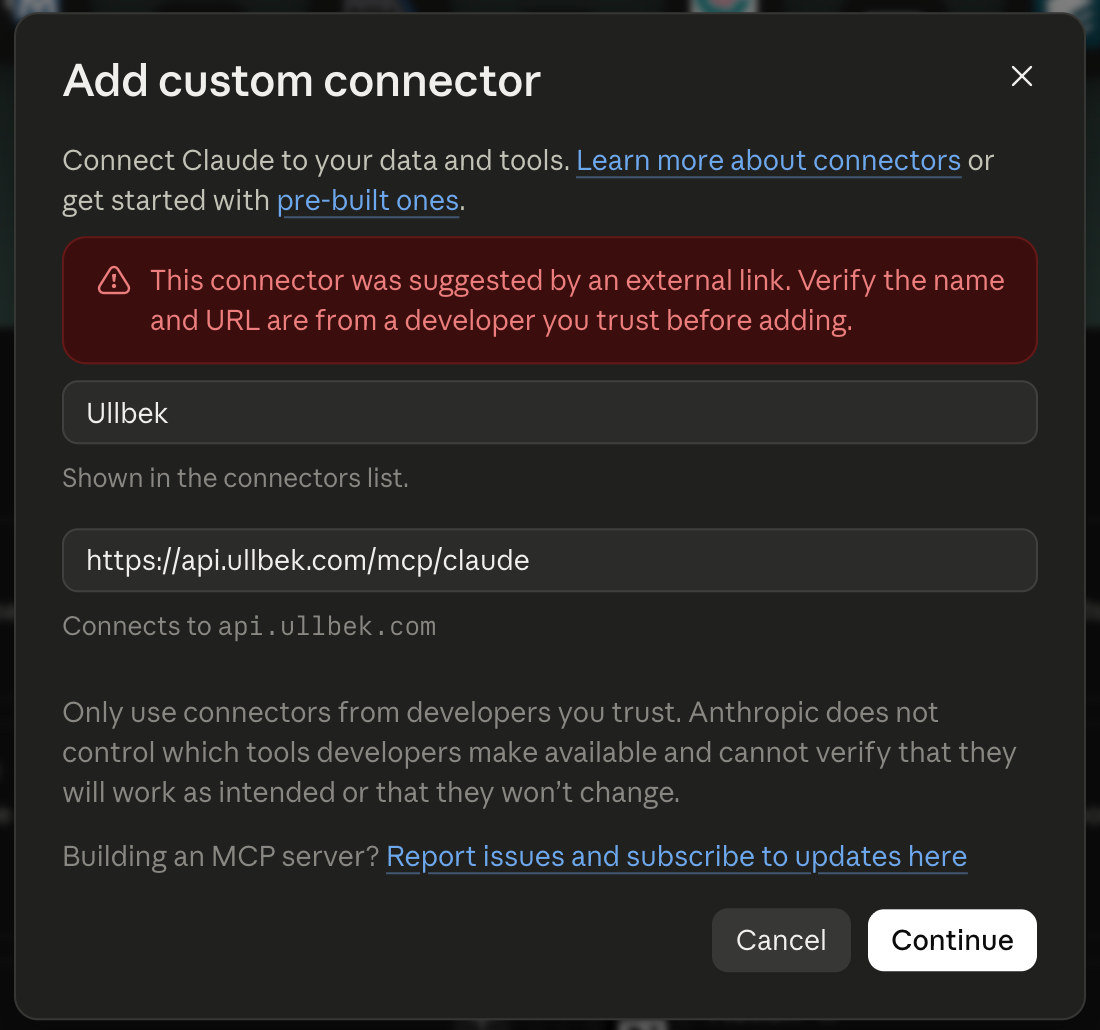
Use Ullbek inside Claude
Connect Ullbek to Claude once, and the assistant that already knows your business can build, preview, and publish your real website — on the web, desktop, phone, and in Claude Code.
Use Ullbek with any AI app
Cursor, VS Code, Antigravity, Codex and more: connect once, and the AI app you already use can build, preview and publish your real Ullbek site — on your plan with that app, not your Ullbek credit.

Build your website in an Instagram DM
Message @ullbek_ai on Instagram, answer a few questions, and get a real, custom website built for you, from your own photos and captions if you like. What to send, what Ullbek asks, and how long it takes.

Connect your Instagram
Build from your own posts. Business and Creator accounts, what Ullbek reads (and never does), and how to disconnect or delete your data.

Your photos and captions on your site
How your posts and captions become your website, choosing pictures in the chat, new posts, and sharing photos straight into the conversation.

Changes, going live and your own domain
Ask for changes, put your site live on a free address for your bio, add your own domain and top up credit, all from the chat.

Your site on the web
Open the site you built on Instagram at app.ullbek.com with a sign-in link by email, then sign in any time with a link or with Instagram.

Instagram: troubleshooting and FAQ
Personal accounts, the Connected page, "That did not work", photos shared into the chat, waiting for a build, and common questions.
For Agencies

Ullbek for web design agencies
Run a web design agency on Ullbek: all your clients in one main workspace, previews, payments and hand-overs, whether you're starting out or switching.

Start your own web design agency
A 30-day playbook: your own site and domain, a free portfolio, sharing your studio, pricing for your neighbourhood, and putting your studio's name on every site you deliver.

Organise clients with workspaces
Keep your clients in one main workspace. When a client's billing must be different, give them their own; and bring your team in.

Previews, approvals and changes
Send clients a draft preview link, run a clean approval loop, and let clients edit one site when they want to.

Who pays for what
Building, hosting and domains; you pay from your main workspace and bill clients, the exceptions who pay directly, and 25% off hosting past ten sites.

Hand a site to a client
Move a finished site into the client's own workspace with its address, domain and hosting. No card needed to accept.

Redo a business's old website
Rebuild a local business's old site from its address, show the owner before you ask, and move their domain across.

Agency FAQ
Your studio's name on the work, the badge, client ownership, the hosting discount, team seats, currencies, and what Ullbek doesn't build.
By Business
Guides by industry
Every industry guide in one place — cafés, studios, photographers, boutiques and more as they land. Find the one for your business.

How to build a restaurant website with AI
The menu, reservations, hours, photos of the room, and copy-ready prompts — with Roma, a West Village trattoria built with Ullbek, as the worked example.

How to build a hair salon website with AI
The price list, the team as real people, the gallery, booking enquiries and copy-ready prompts — with Golden Hour, a Chelsea salon built with Ullbek, as the worked example.

How to build a plumber website with AI
Services as plain cards, a suburb list Google can read, emergency call-outs, quote forms and real reviews — with Hartley Plumbing, a family firm built with Ullbek, as the worked example.

How to build a bakery website with AI
The daily bake, this week's specials, honest hours, pre-orders and wholesale — with Rosie & Bean, a Portland neighbourhood bakery built with Ullbek, as the worked example.

How to build a real estate agent website with AI
Neighbourhood pages, featured listings and recent sales, seller and buyer guides, enquiries — with Linden Hill Realty, an independent Asheville agent built with Ullbek, as the worked example.

How to build a wedding planner website with AI
Packages with honest prices, real weddings as stories, the process, vendors and a four-question enquiry — with Juniper & Vale, a Hudson Valley planner built with Ullbek, as the worked example.

How to build a dentist website with AI
Treatments in plain English, a fee guide on the page, the team with GDC numbers, new patients, emergencies — with Stockbridge Dental, an Edinburgh practice built with Ullbek, as the worked example.

How to build a personal trainer website with AI
Programmes with real prices, the weekly schedule, client stories, a free-chat form — with Tessa Lane Coaching, a Brisbane strength coach built with Ullbek, as the worked example.

How to build a consultant website with AI
Services as outcomes, case studies as short stories, your approach, writing, a discovery-call form — with North Fork Advisory, a Toronto operations consultant built with Ullbek, as the worked example.

How to build a florist website with AI
The bouquet menu, same-day delivery, weddings and events, the seasonal switch — with Wren & Thistle, a Seattle flower shop built with Ullbek, as the worked example.

How to build a law firm website with AI
Practice areas in plain English, attorneys, the fee conversation, plain-English guides, a confidential enquiry — with Calloway Baird, a Denver family-law and estate firm built with Ullbek, as the worked example.

How to build an electrician website with AI
Services as plain cards, certifications as text, the postcodes you cover, landlord EICRs, quotes — with Sparrow Electrical, a Leeds electrician built with Ullbek, as the worked example.

How to build a landscaper website with AI
Services with starting prices, before-and-after projects, maintenance plans, the suburbs you cover, quotes — with Mossbank Landscapes, an Auckland landscaper built with Ullbek, as the worked example.

How to build a cleaning service website with AI
Pricing by home size, the room-by-room checklist, trust written out, neighbourhoods, booking requests — with Clara's Clean Co., a Chicago cleaning company built with Ullbek, as the worked example.

How to build a therapist website with AI
Your approach in plain words, who you work with, fees, the first session, an enquiry form that asks almost nothing — with Harbour Counselling, a Vancouver practice built with Ullbek, as the worked example.

How to build an accountant website with AI
Fixed-fee packages, the deadlines calendar, plain-English guides, switching made painless — with Fairweather Accounting, a Dublin practice built with Ullbek, as the worked example.

How to build a barber shop website with AI
The price list as text, the barbers with their chairs, booking versus walk-ins, the gallery — with Kingsway Barbers, a Glasgow shop built with Ullbek, as the worked example.

How to build a nonprofit website with AI
Three doors above the fold, programmes in three languages, dated impact numbers, give and volunteer, events that expire — with Riverbend Food Collective, a Minneapolis food organisation built with Ullbek, as the worked example.

How to build a cafe website with AI
Menus, PDF downloads, hours, reservations, and copy-ready prompts — a full guide for cafe owners, written around what Ullbek can actually do.

How to build a yoga studio website with AI
Class schedules, teacher bios, workshop PDFs, intro offers, and copy-ready prompts — built for studio owners who update every week.

How to build a photographer website with AI
Portfolios, rate-card PDFs, booking forms, and gallery updates — a capability-first guide for photographers and photo studios.

How to build a boutique shop website with AI
Lookbooks, product pages, seasonal collections, events, and staff picks — a brand-site guide for boutique owners who link out to their real store.
Images

Publishing & Domains
Account & Billing

Design & Styling

Typography & fonts
Fonts are the voice of your brand. Learn how typefaces communicate character, and how to ask Ullbek for exactly the type system your site needs.

Font pairing guide
12 curated font pairings — live previews, character profiles, and copy-ready prompts for editorial, luxury, SaaS, artisan, and more.
Interactive Elements

Contact forms & submissions
Ullbek's built-in form backend delivers submissions straight to your inbox — spam filtered, no third-party service needed.

Give away a PDF, build your email list
A download page with a name and email form — every signup goes to your inbox and to MailerLite, Mailchimp, Kit, Brevo or Beehiiv, then the download appears.
SEO & Analytics

How search engines find your site
What Ullbek does on every publish — sitemap, robots.txt, clean addresses and an instant notice to Bing and the other IndexNow engines — plus how Google fits in and the parts only you can add.

How to add Google Analytics & Ads tags
Get your tag ID, add it to every page, and verify it's firing correctly.

Add a Meta pixel, chat, booking or map
Paste what the tool gives you into the chat, say where it goes, and publish — Meta pixel, chat bubble, booking calendar, map or video.
Tips & Tricks

Internal pages
Private pages for the site brief, demos, and working notes — full builder access, never published to the internet.

The Site Brief
A living HTML file that is the shared memory between you and Ullbek — brand, structure, and decisions the agent reads first and writes back to as the site evolves.

Demo pages
Explore design options side by side on a private page — navs, heroes, layouts, colors, fonts — then apply the winner.