
How it works
If your business already lives on Instagram, your website can start there too. You talk to Ullbek in a direct message, the same way you'd message a designer you trust, and Ullbek builds the whole site while you get on with your day. When it's ready, it lands in the chat as a card you tap to open.
Send a message
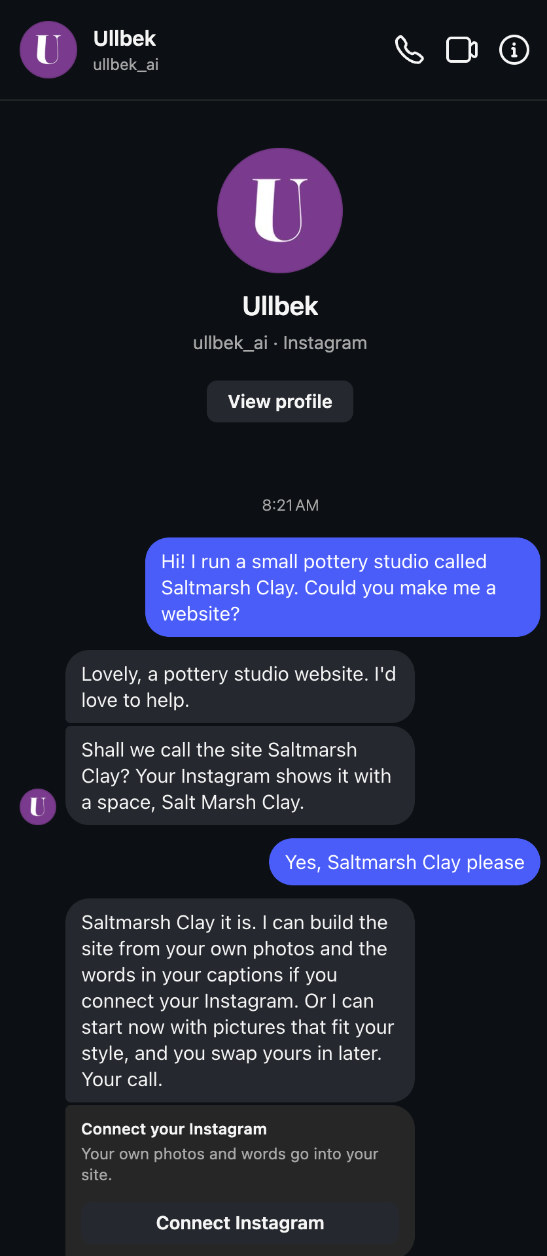
Say hello and what your business is. Ullbek answers within seconds.
A short chat
A few questions with tap-to-answer replies, then Ullbek starts building.
Your site arrives
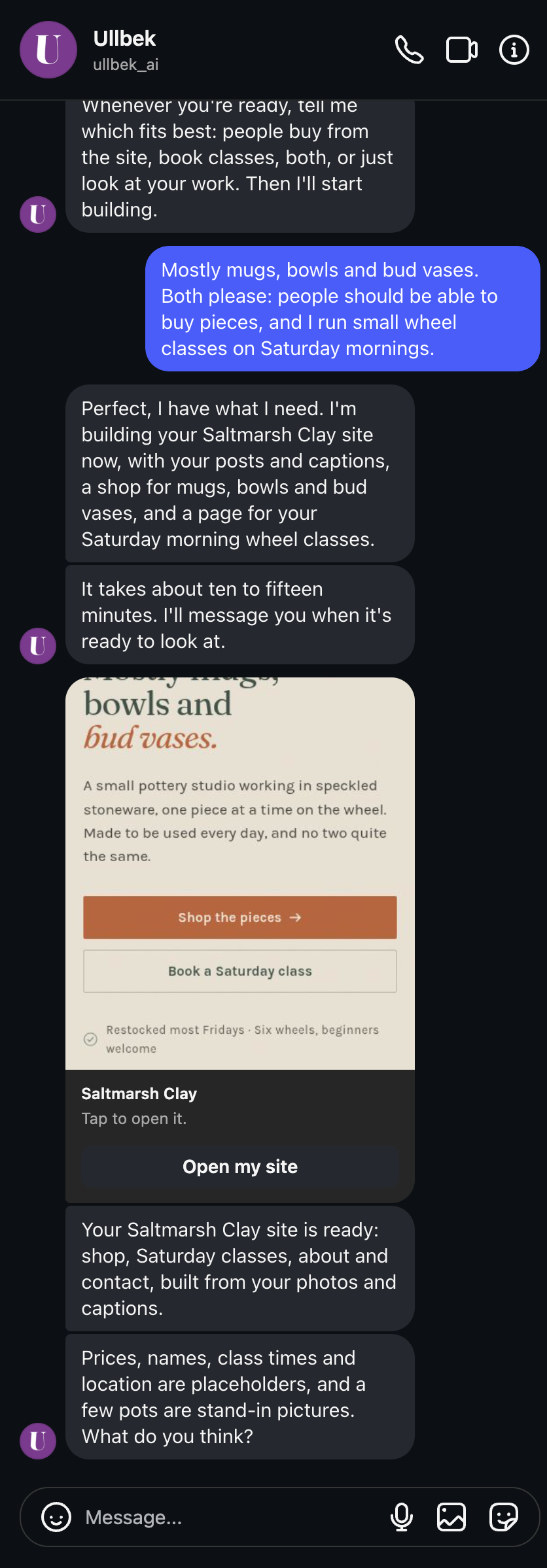
A card with a picture of your site. Tap it, look around, ask for changes, put it live.
Everything happens in Instagram: no app to install, no account to create, no password. Ullbek sets your account up quietly behind the conversation.
Want to see one first? On ullbek.com/instagram there's a site that came back from six posts and one conversation.
Start a conversation
Open Instagram on your phone, search for @ullbek_ai, and tap Message. Or open ig.me/m/ullbek_ai and Instagram takes you straight to the chat.
Your first message can be short. Say what the business is called and what you do; anything else you already know about the site is a bonus.
Type, tap, or send a voice note: Ullbek understands all three. You can also share photos and posts into the chat at any point, and they'll be used on your site (see Your photos & captions).
What Ullbek asks
Before anything is built, Ullbek gets to know your business well enough to brief a designer. It starts from what your Instagram profile already says, so it only asks about what's missing, one thing at a time:
- The name of your site. Ullbek suggests one from your profile and asks you to confirm it with a tap. It's the one thing it never guesses, because the name goes on every page and into your web address.
- Your own photos, or not yet. Ullbek offers to build from your Instagram posts. Connect your account and your pictures and captions go into the site; or start without, with pictures made to fit your style, and swap yours in later. Your call (more in Connect your Instagram).
- What the site should do. Sell pieces, take bookings, show your work, get enquiries. Who it's for, and which pages it needs.
- The look. Colours are chosen by looking: Ullbek shows you a few palettes to pick from.
Most questions come with tap-to-answer replies, and you can always type your own answer instead. In a hurry? Tell Ullbek to just start; it says what it will assume and gets going.
How long it takes
While it builds, Ullbek goes quiet on purpose: no progress updates, no typing dots. You can put your phone down; Ullbek messages you the moment it's ready. If you write in the meantime, you get an answer straight away, and anything you'd like changed is kept and done as soon as the build finishes.
What you get
The finished site arrives as a card: a picture of your home page, its name, and an Open my site button. Tap it and your site opens in Instagram's browser, exactly as your customers will see it. It's a private preview: nobody else can see it until you decide to put it live.
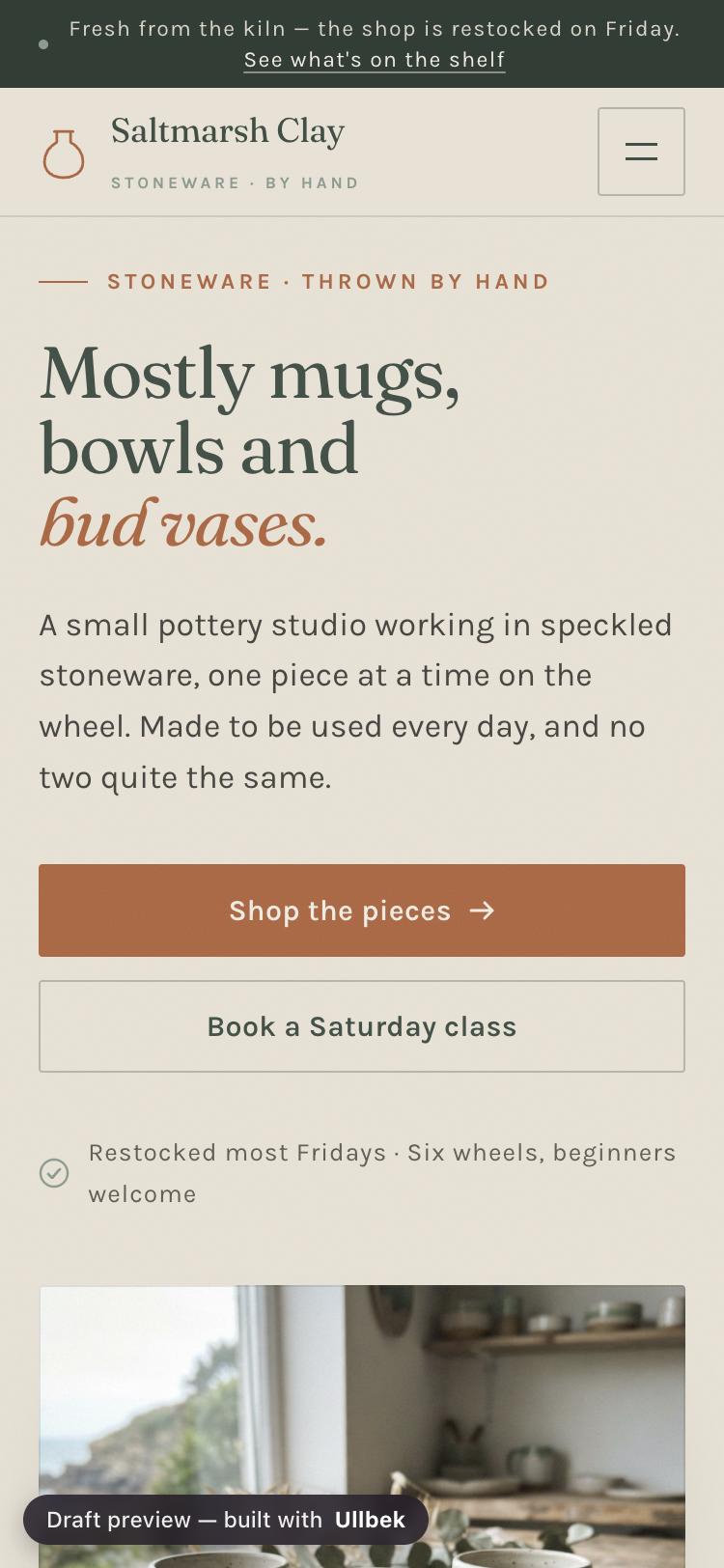
It's a real, custom website built around what you told Ullbek: every page it needs, your colours, your words, a contact form that delivers to your email, and your own photos when you've shared them. Ullbek tells you what it filled in for you, such as a price or opening hours you hadn't mentioned yet, so you know what to send it next.
Your site stays a private preview while you look and ask for changes. When you're happy, say put it live and Ullbek publishes it to a free web address you can put in your bio. See Changes & going live.
What it costs
Starting is free. Every new account gets free credit, enough for a whole first site and a round or two of changes, and asking Ullbek questions in the chat never uses any. Putting your site live on a free ullbek.site address costs nothing and stays free for as long as you like.
You only pay if you want more: credit for further building, hosting on your own domain, or a domain itself. Ullbek tells you the price before anything is charged, and you pay by card on Stripe's secure page right from the chat. Current prices are on the pricing page; the details are in Billing & payments.
The rest of this guide
Connect your Instagram
Build from your own posts. Which accounts can connect, what Ullbek reads, and how to disconnect.
Read-onlyYour photos & captions
How your posts become your site, choosing pictures in the chat, and sharing new ones.
Changes & going live
Ask for changes, publish to a free address, add your own domain, all from the chat.
Your site on the web
Open the same site on a bigger screen with a sign-in link by email.
Troubleshooting & FAQ
Personal accounts, the Connected page, getting back to the chat, and more.
Common questions
Am I talking to a person?
You're talking to Ullbek's assistant, and it will say so if you ask. People at Ullbek read support@ullbek.com and reply by email, usually within a day.
Do I need a business account to start?
No. Anyone can message @ullbek_ai and get a site. Only connecting your Instagram needs a Business or Creator account.
Can I have more than one site?
A conversation on Instagram looks after one website. "Start over" rebuilds that same site. For a second site, sign in on the web, where one account can hold several (see Your site on the web).
Can Ullbek message me first?
Only to answer you. Instagram lets a business reply for 24 hours after your last message. If something finishes after that, Ullbek sends it to your email instead, with a button back to the chat.
Start your website now
Open Instagram, message @ullbek_ai, and say what your business is. Your site arrives in the chat.