The five checks are written out below.
Captions available — press CC · Also on YouTube
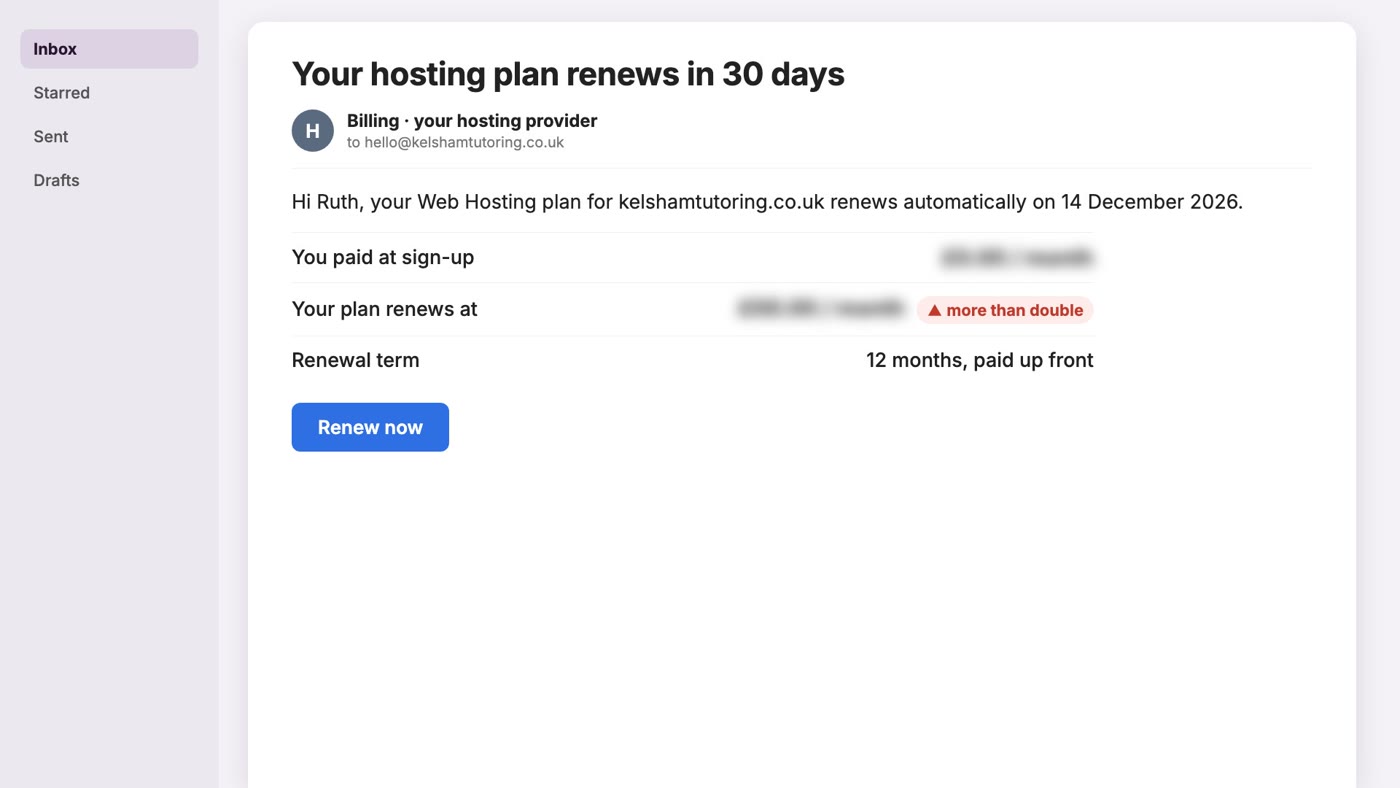
The email says your hosting plan renews in thirty days, and the renewal price is double what you paid when you signed up. Sometimes more. The site hasn't changed, and nobody asked whether you wanted it to cost more.
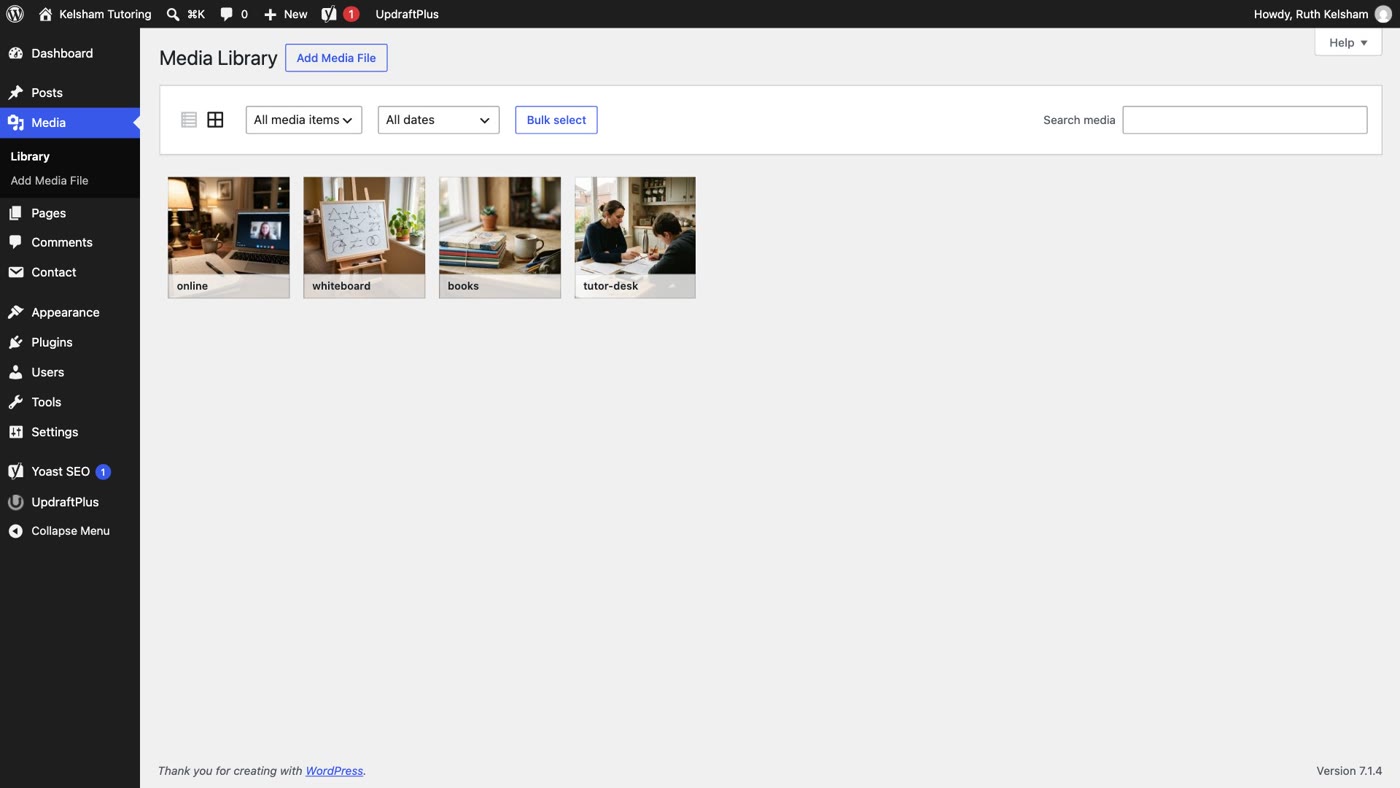
Before you click Renew now, there are five things worth checking. Each one takes a few minutes, and together they tell you what you're paying for, what your site actually needs, and what to ask your host. Every WordPress screen in the film and in this post is real; the host's billing page, the invoice and the support chat differ from company to company, so they are drawn.
Why the renewal is higher
Most shared WordPress hosting is sold with an introductory price that lasts for the first term only. After that, the plan renews at the regular price. You can see the pattern on the hosts' own pricing pages. These are their entry plans, as published when we read them on 10 November 2026:
- Bluehost Starter: $3.99 a month for a 36-month term, renews at $9.99 a month (bluehost.com).
- Hostinger Premium: $1.99 a month for 48 months, paid up front, renews at $10.99 a month (hostinger.com).
- DreamHost Web Hosting Launch: $2.89 a month for the first year, then $10.99 a month (dreamhost.com).
- SiteGround StartUp (Australia): AU$3.99 a month prepaid for 12 months, renews at AU$26.99 a month, excluding GST (au.siteground.com).
That is a renewal of two and a half to nearly seven times the intro price. List prices change, and several hosts were running sales when we looked, so check your own host's page. The point is the shape: the low price was never the price you'd pay forever.
Step 1: read the renewal line
Log in to your hosting account and open Billing (some hosts call it Subscriptions, Services or Renewals). Find the plan that is about to renew and read four things.
- What you paid. The price per month at sign-up, and for how many months. If it was for 36 or 48 months, that was a long intro term, paid up front.
- What it renews at. The renewal price per month. This is the regular price, not a mistake.
- For how long. The renewal term. On Bluehost's own renewal page, the same plan renews at a different monthly price depending on whether you renew for one month, one year or three years, so the term you pick changes the price.
- The date and auto-renew. Note the renewal date, and whether auto-renew is on. You want to finish steps 2 to 4 before that date.
Step 2: what you're paying for
Now open the last invoice (or the renewal preview) and read every line, not just the total. A hosting renewal is often several things billed together:
- Hosting. The plan itself.
- The domain. Many plans include a domain free for the first year only; Bluehost's, Hostinger's and DreamHost's own pages all say "1 year". From year two, it's a separate line.
- Email. If your mailboxes are with the host.
- The security certificate (SSL). Many hosts include one free; Bluehost's Starter plan lists a free Let's Encrypt certificate, and Let's Encrypt is a free certificate authority. If you are paying for one, ask why.
- Backups and extras. A site builder, a security scanner, "priority" support. Reviews of hosts are full of owners who found add-ons on the bill that they didn't know they had.
If a line is something you don't use, ask the host to remove it before the renewal date.
Step 3: what you still use
Hosts often move people up a tier ("you've outgrown your plan") or sell the next plan up at renewal. Before you agree, check what your site really uses. WordPress tells you.
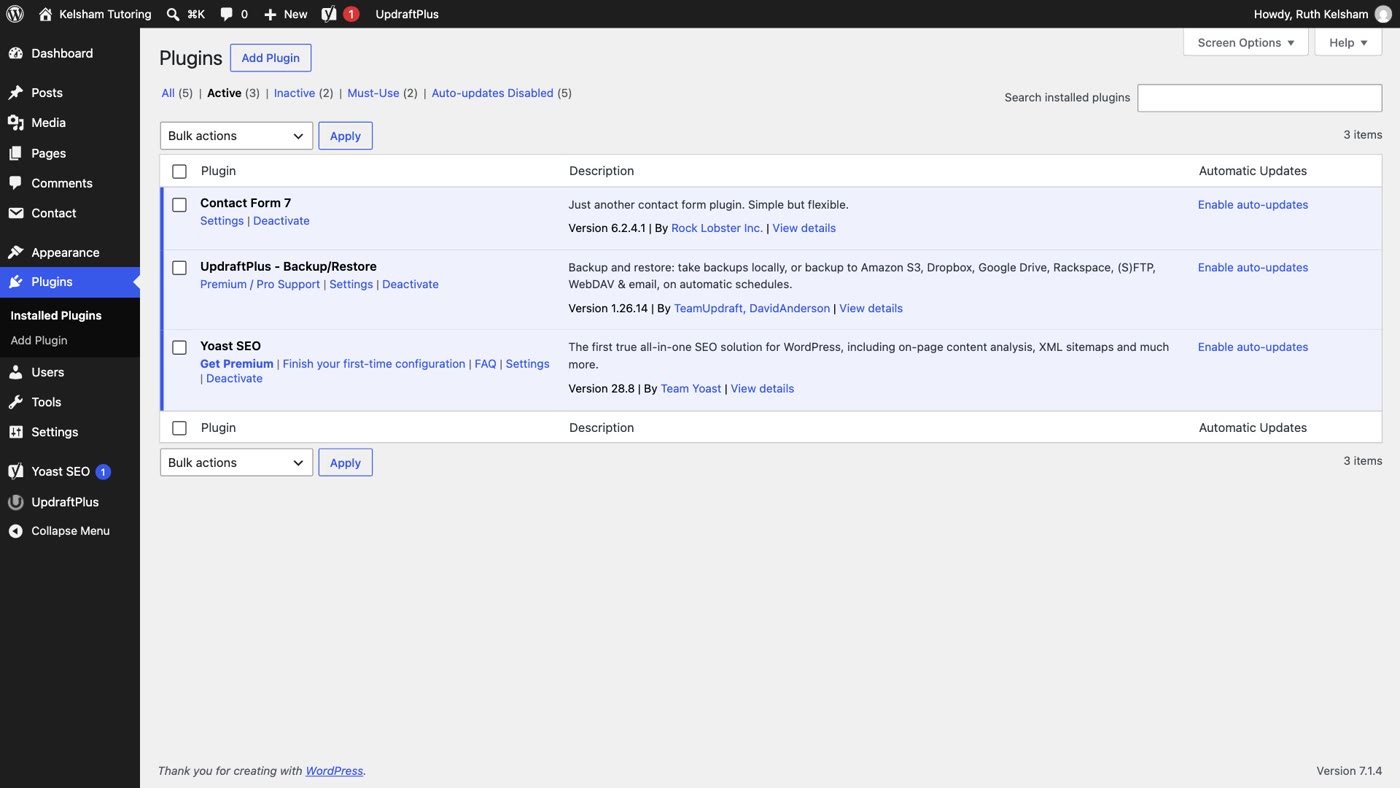
- Plugins → Active. In the film's site, three: a contact form, SEO and backups.
- Users. How many people log in. Here, one.
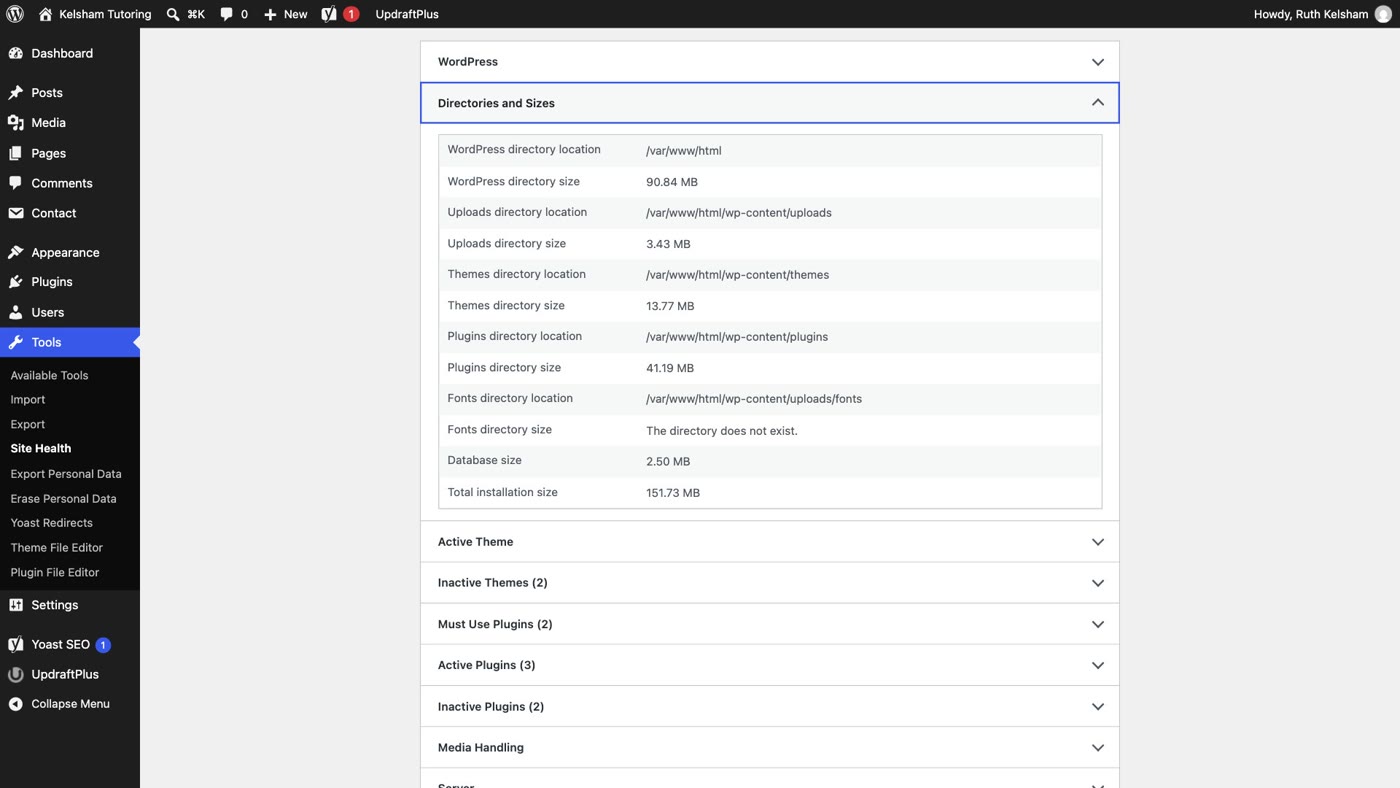
- Tools → Site Health → Info → Directories and Sizes. WordPress measures the uploads, themes and plugins folders, the database, and the total installation size. Here, 151.73 MB for the whole site, photos included.
- Read what the bigger plan adds, on the host's own page. On Bluehost's shared-hosting page, for example, Business adds over Starter 50 websites instead of 10, 50 GB of storage instead of 10 GB, phone support, a web application firewall and DDoS protection. A site of a few pages uses a sliver of the smaller plan's storage. Decide whether you need the rest.
Step 4: ask before the renewal date
Message the host's support or sales team before the plan renews. Be specific: say when it renews, how small the site is, and what you want. For example:
"My plan renews on 14 December. My site is five pages and uses under 1 GB. Can you renew it at a lower price, or move me to a smaller plan?"
- Ask for a lower renewal price, or a smaller plan. Owners on hosting forums report being offered a lower price, or a multi-year deal, when they asked sales at renewal. It isn't guaranteed, but it costs one message.
- Ask what each term costs. A longer renewal term is often cheaper per month, but it's paid up front.
- Don't leave it to the last week. Some hosts need notice: WP Engine's terms, for example, renew a plan automatically unless you give notice no later than 30 days before the term ends.
Step 5: if you move, take these with you
If the answer doesn't work for you, you can move. Take what's yours first, and cancel nothing until the new site is live.
- Your domain and your email. Make sure both are in your own name and you can log in to them. Is your domain in your name? shows how to check each one.
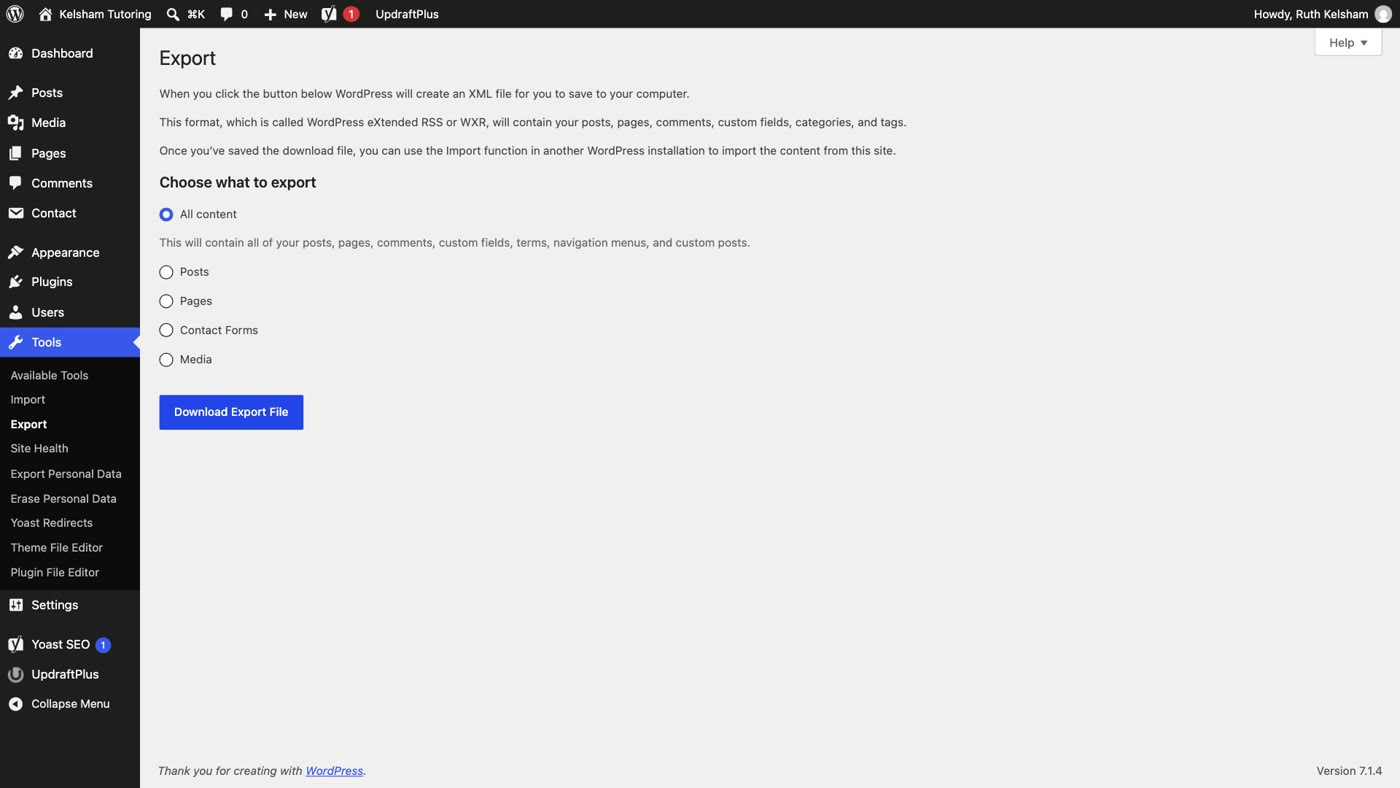
- Your content. In WordPress, Tools → Export, choose All content and click Download Export File. WordPress saves an XML file with your posts, pages, comments, menus and the rest.
- Your photos. The export file names your images but does not contain them (the film site's export, with four photos, is a 27 KB file). Save them from Media, or download the uploads folder from your host.
- Cancel last. Keep the old hosting until the new site is open on your own domain and you've looked at it. If your email is hosted there, move it before you cancel.
Before you pay the renewal
- The renewal price, and the term. What you paid, what it renews at, for how long.
- Every line on the invoice. Domain, email, certificate, backups, extras.
- What your site really uses. Plugins, users, and the total installation size.
- Ask for a lower price or a smaller plan, in writing, well before the date.
- Your keys, an export, your photos, in case you move.
And put the next renewal date in your calendar, a month ahead.
- Step 1: in Billing, read what you paid, what it renews at, and the term.
- Step 2: read every line of the invoice; ask to remove what you don't use.
- Step 3: Plugins → Active, Users, and Site Health → Directories and Sizes; compare with what the bigger plan adds.
- Step 4: ask the host for a lower renewal price or a smaller plan, before the date.
- Step 5: if you move, take your domain, email, an export and your photos; cancel last.
Or, there is another way
Five checks, and the same email next year. There is a simpler arrangement.
Ullbek is an AI website builder. You give it your WordPress site's address, and it builds a new, custom website from your pages and photos. There are no plugins to renew and no care plan. Hosting is one flat monthly price per site, the same at renewal, and you can cancel any time; in many countries it's priced in your own currency, on the pricing page. The free .ullbek.site address never expires. When something needs to change, you say what should be different.

- Give it your old site's address. "Rebuild [your address] as a new site. It's my current WordPress website. Keep every page and bring across the photos." It reads every page and downloads your pictures.
- Answer a few questions in one go. Usually the business name, what to do with any placeholder text, and your real contact details.
- Look it over, publish, then connect your domain. Your domain stays registered where it is, and Ullbek gives you the records to add and checks them for you. Then, and only then, cancel the old hosting. The move guide walks through every step.
Before the next renewal
See how moving a WordPress site to Ullbek works, step by step.