The fix is written out below.
Captions available · press CC · Also on YouTube
Your website shows a full page that says Your connection is not private where your home page should be, and the reason is that its security certificate ran out. Certificates are renewed, often by your host, by itself. When that stops, the old one runs out, and every visitor gets the warning.
Everything below, and in the film above, was done on our own test website, a WordPress site for a flower shop, in a real browser window: we let the certificate run out, saw the renewal fail, found why, and renewed it.
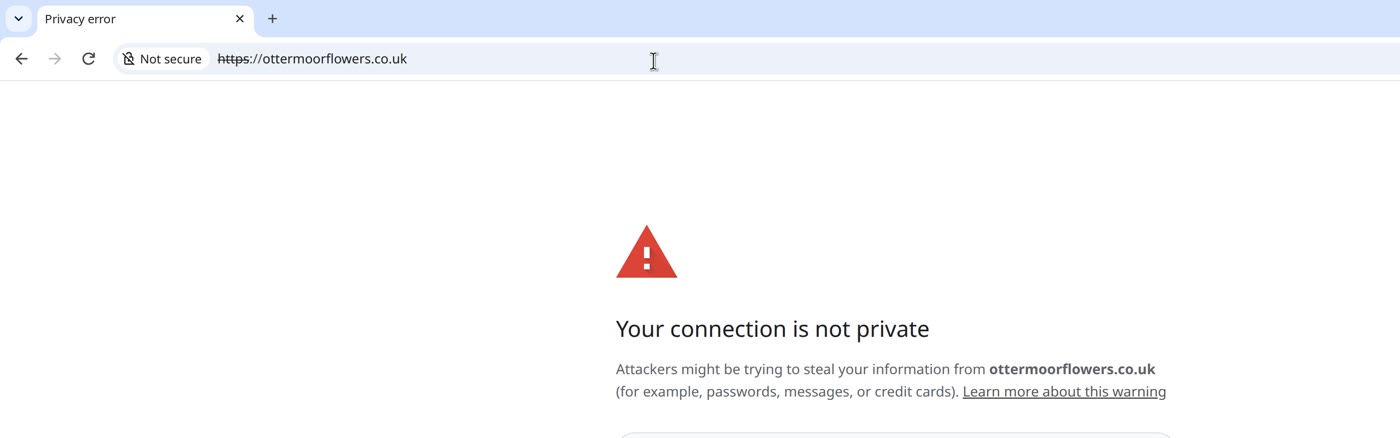
First: make sure it ran out
Open your site yourself. On the warning page (these are the names in our test browser; other browsers name them differently):
- Click Not secure, at the left of the address. A panel opens.
- Click Certificate details. The certificate viewer opens.
- Read Expires On. If it is in the past, the certificate ran out. Ours ended on 2 November 2026.
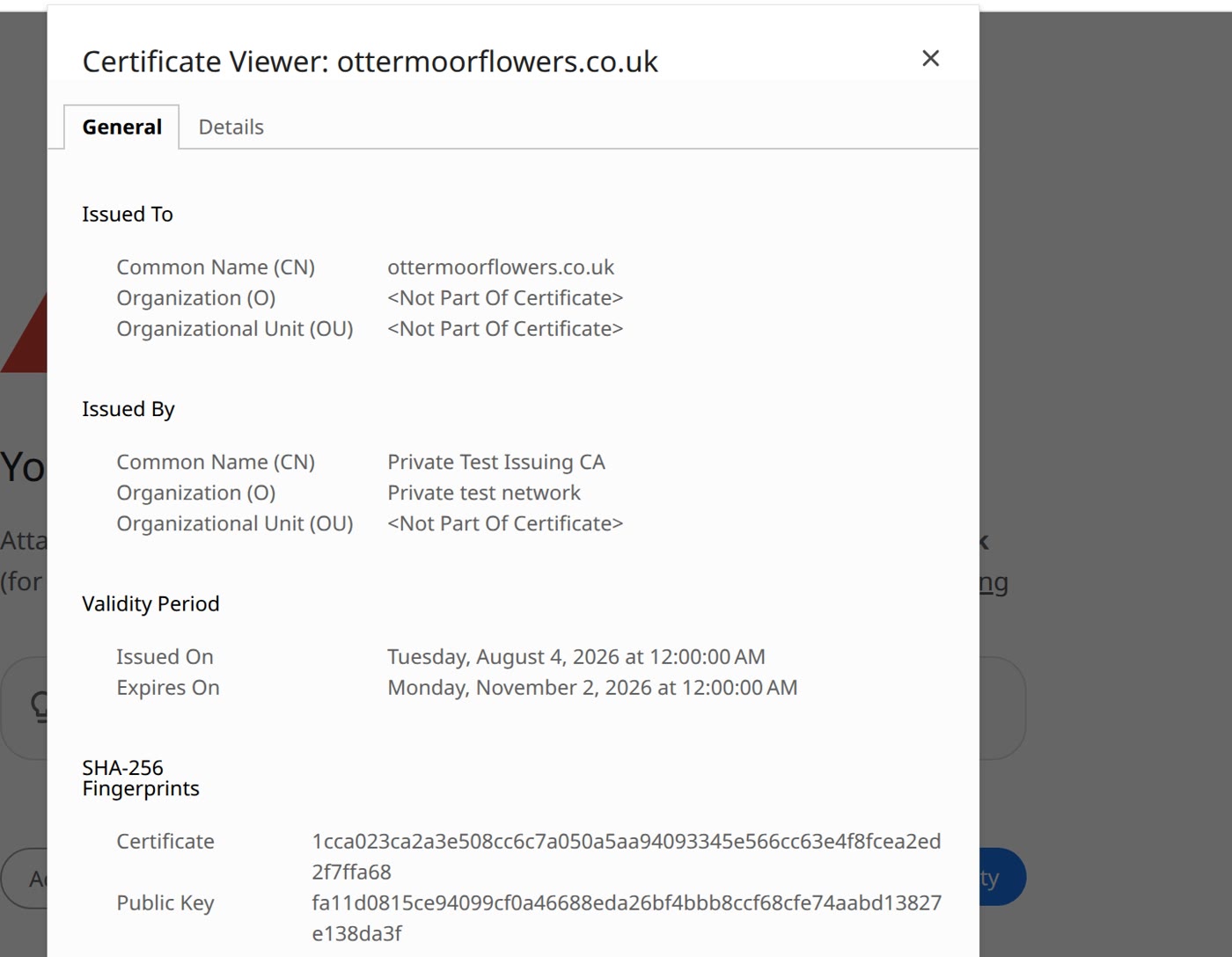
With this cause, the code that goes with the warning is NET::ERR_CERT_DATE_INVALID. If the dates look right, the warning has another cause: Visitors see "Your connection is not private" on your website? How to fix it covers the warning and its other causes.
Step 1: renew it now
Many hosts get and manage a certificate for you: a certificate authority's own guide says it "will either happen automatically or there will be a configuration option that you will need to enable." The screens differ from host to host, so the film shows a drawn panel.
- In your hosting account, find the certificate (look for SSL, or security certificate) and, if there is a way to renew it there, renew it.
- If it renews, open your site again, and you're done.
- If the renewal fails, read the message. On our test site it failed, and the reason it gave was that the www version of our address did not point at our host. That is the reason it stopped, and step 2 fixes it.
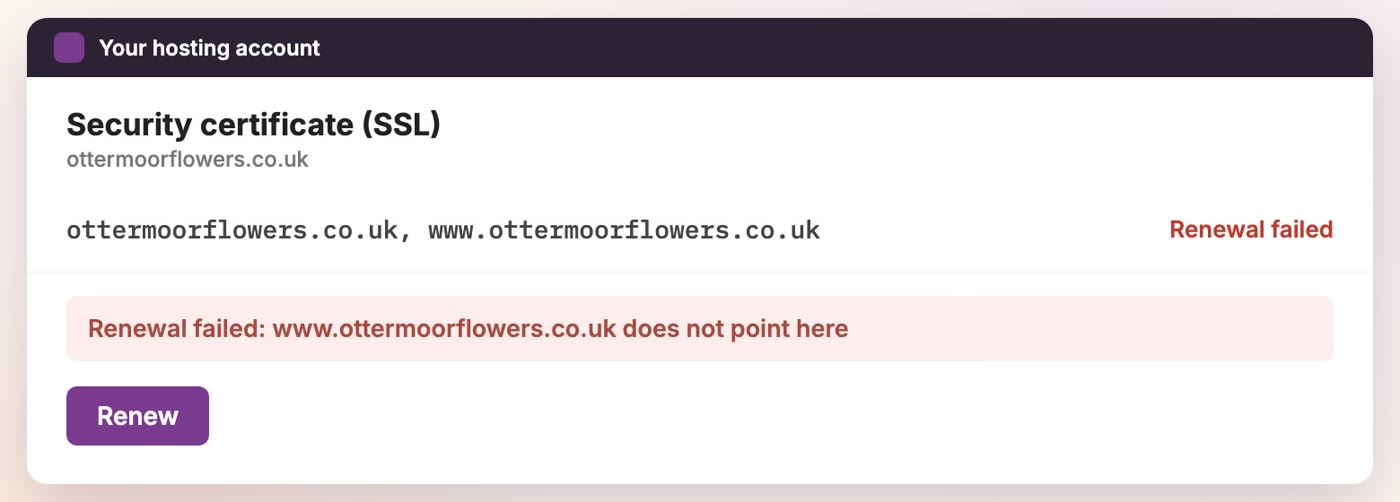
Installed the certificate yourself? Renew it the way you got it, and put the new one in place of the old.
Not sure who looks after it? Ask your host. Tell them the date in Expires On, and ask them to renew it, and what stopped it.
Why the renewal stopped
One certificate authority's documentation describes one way it checks that you control a name: a file is put on your web server, and the authority "tries retrieving it" from that name. On our test site, that is how it checked: it fetched a file from each name on the certificate, our address and its www version, so each one had to lead to our host.
You can see where a name leads by typing it. On our test site, the www version led to our domain company's parking page, not to our host. So the check failed, and the renewal stopped. Left like that, the old certificate runs out, and visitors get the warning. In a second test, we deleted the www record instead, and the renewal failed then too. (Whether the www version is the one that fails, and how to fix it, is also covered in Your website works with www but not without it? The fix.)
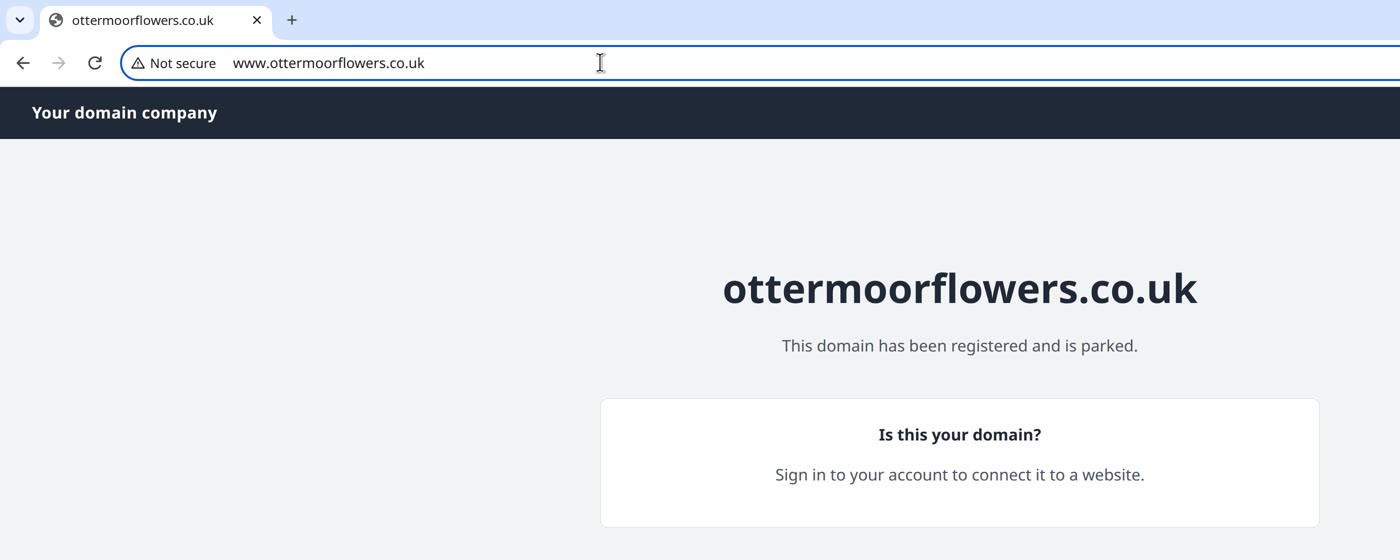
Step 2: point both names at your host, then renew again
- In your hosting account, look for the address to point your domain at.
- At your domain company, open your domain's records. Look for an A record for your domain itself (often shown as
@) and one forwww. Both should point at your host, in the way your host asks. Ours had the www record pointing at the parking page's address; we changed it to our host's, and saved. If your records are kept at another company, Your website says "This site can't be reached"? What to check first shows how to find where. - In your hosting account, renew again. This time, ours renewed.
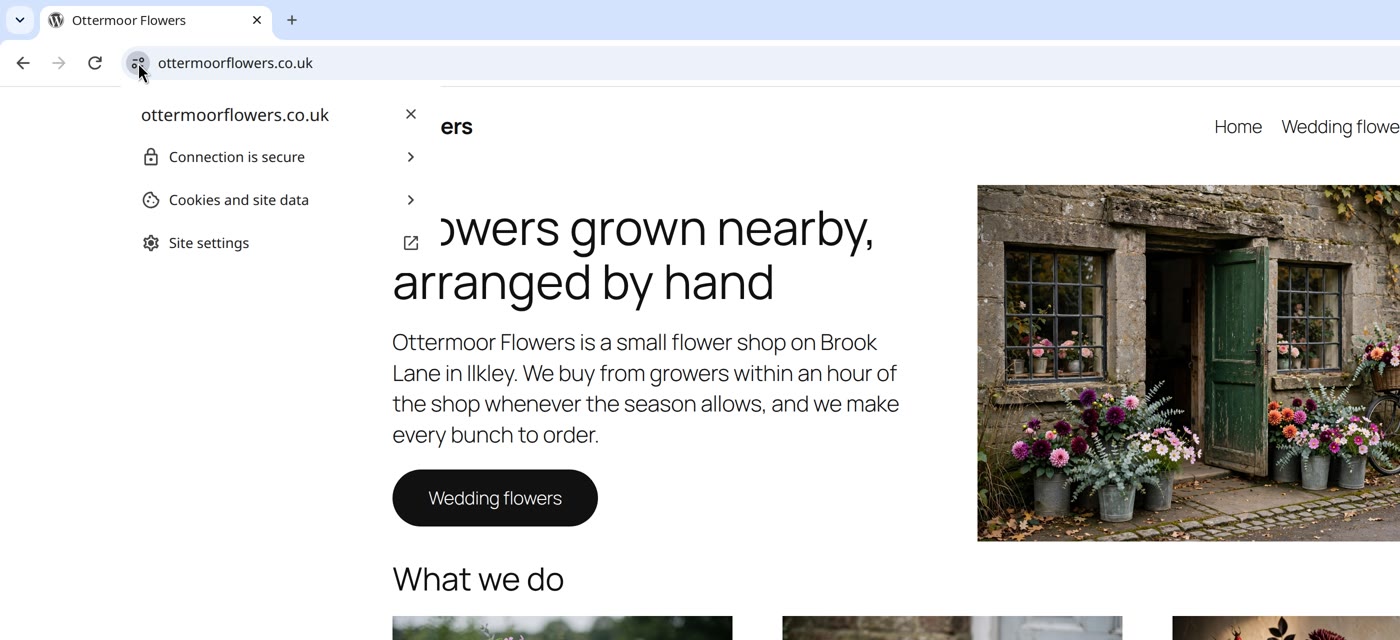
- Open your site again, from a fresh browser. It opened, and the panel said Connection is secure. Typed with www, it reached the site too.
Then: stop it happening again
Renewals are coming round more often. The industry's rule-setting body has voted to shorten the longest a website certificate may last. The first step, 200 days, has applied since 15 March 2026; then 100 days from 15 March 2027, and 47 days from 15 March 2029. One certificate authority says shorter lifetimes, together with shorter reuse of an earlier check, "will make users need to demonstrate control more often".
So, three things:
- Leave the records your host asked for in place, for both names. On our test site, the check went wherever each name pointed.
- If your host offers automatic renewal, switch it on. Look for it in your hosting account, next to the certificate.
- Note the date in Expires On, and set a reminder before it, to check it renewed. In our test browser, on a working site, click the icon at the left of the address, then Connection is secure, then Certificate details. One certificate authority stopped sending expiry reminder emails on 4 June 2025, so don't count on one.
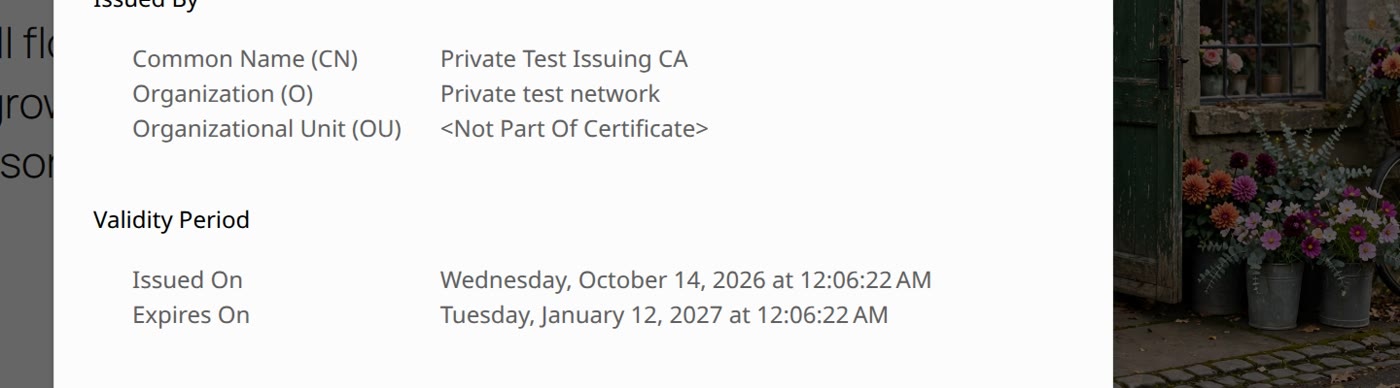
- Check Expires On (click Not secure, then Certificate details).
- Step 1: renew it in your hosting account.
- Step 2, if it fails: point your address and its www version at your host, and renew again.
- Then leave those records in place, switch on automatic renewal if your host offers it, and set a reminder before the date.
If your address bar shows a grey Not secure with no warning page, your site has no secure connection at all: that is a different fix, in Your website says "Not secure"? Why, and how to fix it.
Or, there is another way
Ullbek is an AI website builder. You hand it your site's words and your own photos, and it builds a new, custom website with a new look. When we tried it with the words and photos of the Ottermoor Flowers site from this post, every page was kept, with all of the wording word for word. It asked one question, about the colours, and took about a quarter of an hour.
Every Ullbek site is served over a secure connection, and anyone who types the plain http address is sent to the secure one. On a domain you bring, the certificate renews by itself, as long as the records you added stay in place.
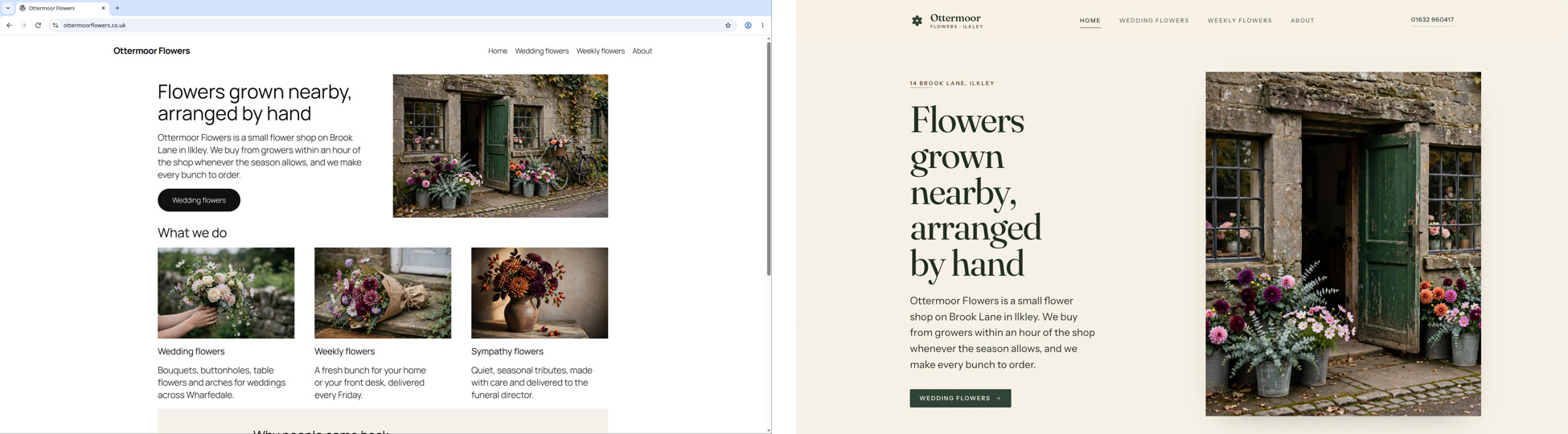
A real, custom website, on a secure connection
See how Ullbek builds a website from what you tell it.